Why Your iPhone Battery Drains Faster After Updating to iOS 27 and What You Need to Know

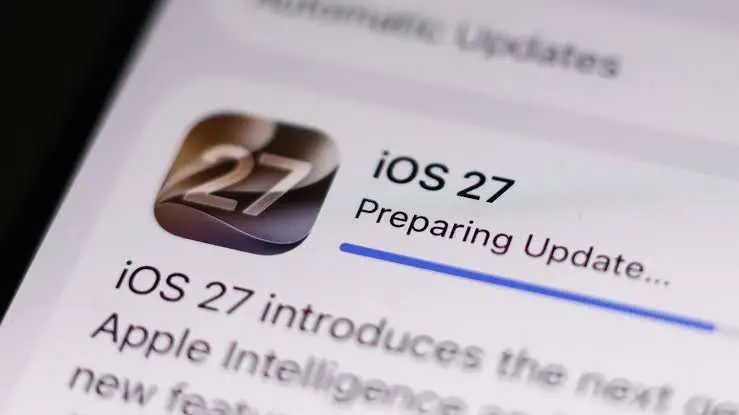
The release of a major operating system update is traditionally met with immense enthusiasm from technology enthusiasts and everyday consumers alike. Apple’s rollout of iOS 27 has brought a suite of advanced features, redesigned visual elements, and deeper artificial intelligence integration to supported iPhone models worldwide. However, millions of users immediately reported a familiar phenomenon: significantly accelerated battery drainage following the installation. Far from being an isolated glitch or a sign of immediate hardware degradation, this temporary drop in battery life is a documented byproduct of how modern mobile operating systems handle major infrastructural overhauls. According to insights provided by Apple and mobile technology experts, the surge in power consumption is a normal, albeit frustrating, transition phase as the device recalibrates its internal ecosystem to accommodate the demands of iOS 27.
Understanding the Mechanics Behind Post-Update Battery Drain
To comprehend why an iPhone consumes more power immediately following a major software update, one must examine the complex series of background operations that initiate the moment installation concludes. When a user updates to iOS 27, the operating system does not simply sit passively on the device; it actively rebuilds, reorganizes, and reindexes vast quantities of data to ensure optimal performance under the new framework.
One of the primary drivers of this increased power draw is the complete rebuilding of the system’s search index via Spotlight. Every file, message, email, photo, and application installed on the device must be re-cataloged so that search queries return accurate results within the new architecture. Simultaneously, the operating system works to update applications to their compatible versions, download crucial system assets, and process massive datasets required for on-device machine learning models, Siri enhancements, and advanced artificial intelligence tasks introduced in iOS 27.
These intensive tasks do not pause when the user locks the screen. Instead, they frequently execute while the device is idle, utilizing the processor and storage modules continuously. Consequently, many users report that their iPhones feel perceptibly warmer to the touch during the first 24 to 48 hours post-update, even when sitting untouched on a desk. This thermal generation is the direct physical manifestation of the CPU running heavy background computations to finalize the operating system integration.
The Typical Timeline and Duration of Post-Update Recalibration
For the vast majority of iPhone users, the accelerated battery drain is a short-term inconvenience. Industry standards and developer observations indicate that most background indexing and asset processing operations normalize within 24 to 48 hours. However, this timeline is not absolute and varies considerably depending on the specific device model, the volume of data stored locally, and the user’s personal engagement with heavy multimedia and AI features.
On devices heavily populated with tens of thousands of high-resolution photos, extensive video libraries, and numerous local documents, the machine learning algorithms require significantly more time to analyze visual and textual content. For these power users, the background processing phase can easily stretch to three or even four days. During this extended window, the device is systematically cataloging memories, updating facial recognition indices, and training local neural networks to align with the privacy and performance standards of iOS 27.
Apple’s official stance emphasizes that this temporary surge in power consumption is entirely normal and does not signify permanent damage to the lithium-ion battery. Once the operating system completes its heavy computational housekeeping, daily energy consumption typically stabilizes, often improving beyond the efficiency levels of previous software iterations as the device fully adjusts to optimized power-management protocols.
Actionable Mitigation Strategies for Users

While the indexing and optimization process is fundamentally automated and necessary, users are not entirely powerless to ease the transition period. Tech support specialists and Apple ecosystem veterans recommend several best practices to help an iPhone complete its post-update routines efficiently without causing undue frustration to the owner.
The most effective recommendation is to connect the iPhone to a reliable power source and a stable Wi-Fi network overnight. By leaving the device plugged in and connected while sleeping, the operating system can leverage uninterrupted power to plow through intensive background tasks, indexing, and cloud synchronization without draining the battery reserve during the active day.
Additionally, users should proactively check the App Store to ensure that all third-party applications are updated to versions optimized for iOS 27. Outdated applications running on a newly minted operating system can frequently create compatibility loops or excessive polling requests, compounding battery drain. A simple forced restart of the device after the initial update can also clear lingering cache files and reset erratic background daemons.
Distinguishing Temporary Adjustments from Underlying Hardware Issues
A critical challenge for consumers is determining whether a rapidly depleting battery is merely suffering from post-update indexing or if it points to a deeper, pre-existing hardware degradation that happened to coincide with the software release. Because iOS updates require older batteries to push their hardware components harder to maintain performance parity, underlying chemical aging can suddenly become glaringly apparent.
As a general benchmark, if an iPhone continues to drain at an abnormally rapid rate after one full week of normal usage, the culprit is likely no longer the initial post-update background processing. At this stage, users are advised to conduct a thorough diagnostic investigation of their device settings.
The primary tool for this investigation is the built-in Battery Health and Usage menu within the iOS Settings application. By examining the breakdown of power consumption by individual application over a 24-hour and 10-day period, users can pinpoint rogue apps that refuse to release background resources. Furthermore, reviewing Location Services permissions is vital; applications continuously pinging GPS hardware in the background can drastically accelerate battery depletion under any operating system version. If hardware degradation is suspected—indicated by a maximum battery capacity dropping significantly below 80 percent—a visit to an authorized Apple service provider for a battery replacement may be the most viable long-term solution.
Broader Implications for Ecosystem Updates and User Experience
The recurring phenomenon surrounding iOS 27 highlights a persistent communication gap between technology manufacturers and consumers. Every major software iteration—whether from Apple, Google, or other platform developers—triggers an inevitable wave of online complaints regarding battery longevity. While technical documentation often explains the underlying mechanics of database rebuilding and AI model training, this information rarely reaches the average consumer before they experience the sudden drop in daily screen-on time.
As smartphones evolve into increasingly sophisticated computing hubs heavily reliant on local artificial intelligence and continuous background synchronization, the gap between pressing "install" and achieving steady-state operation will likely widen. Manufacturers face the ongoing design challenge of either streamlining these background optimizations to be less power-intensive or improving the transparent communication within the user interface, ensuring that consumers are actively informed when their device is performing essential post-update maintenance. Until such transparent user notifications become standard industry practice, understanding the temporary nature of post-update battery drain remains an essential piece of technical literacy for the modern smartphone owner.
Related posts: